PROJECT IN COMPUTER OPERATION
SUBMITTED TO: SUBMITTED BY:
Mrs. Areanne Sison Royette tanagras
Table of contents
I. introduction
- history
- hardware
- software
- people ware
- advantage and disadvantage
INTRODUCTION:
A computer system has three main components: hardware, software, and people. The equipment associated with a computer system is called hardware. Software is a set of instructions that tells the hardware what to do. People, however, are the most important component of a computer system - people use the power of the computer for some purpose. In fact, this course will show you that the computer can be a tool for just about anyone from a business person, to an artist, to a housekeeper, to a student - an incredibly powerful and flexible tool.
HISTORY
This chapter is a brief summary of the history of Computers. It is supplemented by the two PBS documentaries video tapes "Inventing the Future" And "The Paperback Computer". The chapter highlights some of the advances to look for in the documentaries.
In particular, when viewing the movies you should look for two things:
- The progression in hardware representation of a bit of data:
- Vacuum Tubes (1950s) - one bit on the size of a thumb;
- Transistors (1950s and 1960s) - one bit on the size of a fingernail;
- Integrated Circuits (1960s and 70s) - thousands of bits on the size of a hand
- Silicon computer chips (1970s and on) - millions of bits on the size of a finger nail.
- The progression of the ease of use of computers:
- Almost impossible to use except by very patient geniuses (1950s);
- Useable by just about anyone (1980s and on).
- to see how computers got smaller, cheaper, and easier to use. Programmable by highly trained people only (1960s and 1970s);
First Computers
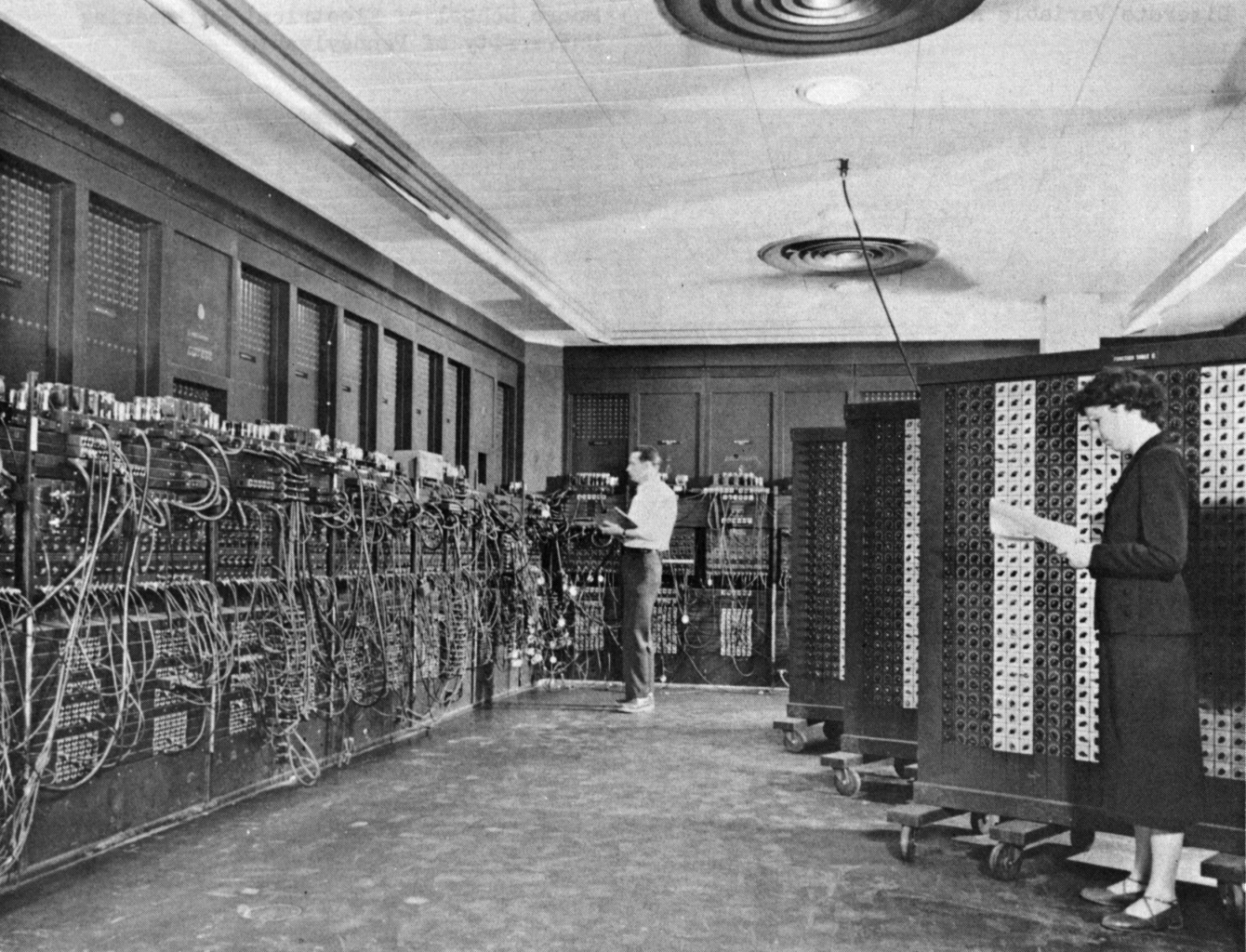
Eniac Computer
The first substantial computer was the giant ENIAC machine by John W. Mauchly and J. Presper Eckert at the University of Pennsylvania. ENIAC (Electrical Numerical Integrator and Calculator) used a word of 10 decimal digits instead of binary ones like previous automated calculators/computers. ENIAC was also the first machine to use more than 2,000 vacuum tubes, using nearly 18,000 vacuum tubes. Storage of all those vacuum tubes and the machinery required to keep the cool took up over 167 square meters (1800 square feet) of floor space. Nonetheless, it had punched-card input and output and arithmetically had 1 multiplier, 1 divider-square rooter, and 20 adders employing decimal "ring counters," which served as adders and also as quick-access (0.0002 seconds) read-write register storage.
The executable instructions composing a program were embodied in the separate units of ENIAC, which were plugged together to form a route through the machine for the flow of computations. These connections had to be redone for each different problem, together with presetting function tables and switches. This "wire-your-own" instruction technique was inconvenient, and only with some license could ENIAC be considered programmable; it was, however, efficient in handling the particular programs for which it had been designed. ENIAC is generally acknowledged to be the first successful high-speed electronic digital computer (EDC) and was productively used from 1946 to 1955. A controversy developed in 1971, however, over the patentability of ENIAC's basic digital concepts, the claim being made that another U.S. physicist, John V. Atanasoff, had already used the same ideas in a simpler vacuum-tube device he built in the 1930s while at Iowa State College. In 1973, the court found in favor of the company using Atanasoff claim and Atanasoff received the acclaim he rightly deserved.
COMPONENTS OF COMPUTER SYSTEM
HARDWARE -physical elements that make up the system. It is tangible parts (things you can touch)
Parts of Hardware
- Central Processing Unit
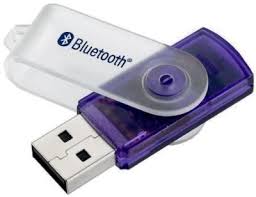
- Input Unit
- Output Unit
Central Processing Unit input Unit Output Unit
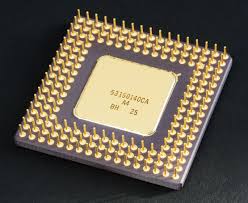
CENTRAL PROCESSING UNIT-also kown as the CPU. It is the brain of the computer. It is an integrated circuit chip containing the electronic circuity that controls the interpretation and execution of instructions.
Parts of CPU
- Control Unit (CU)
- Arithmetic Logic Unit (ALU)
- Memory Unit (MU)
CONTROL UNIT- it is the most critical part of the CPU. It directs the step by step operation of the computer. It monitors or supervises all operations of the computer.
ARITHMETIC LOGIC UNIT- where arithmetic and logic operations are performed. It makes comparison or the CU in order to determine whether operations are mathematical or logical.
MEMORY UNIT- it is where the computer holds data before and after they are processed. It is an filling cabinet that hold data and instructions.
Classification of Memory
1.Primary storage/Main Memory
*physically attached to the computer and its known as the internal memory.
2.Secondary storage/Auxiliary memory
*used storage medium. It is the permanent storage hat supplements the RAM.
Primary storage- is a fast memory capable of operating at electronic speed where programs and data are stored before the execution.
Types of Primary storage
1.Read Only Memory(ROM)- holds permanent computer instructions. It cannot be altered nor erased that information. A memory form which you can read into but cannot write. The instructions stored are needed by the computer to perform its basic routine operations. A n-volatile memory specifically design to stored data even when the computer is not running.
General Task of ROM (Bootstrap Routine)
- Check the amount of RAM
- Established connection with video controller or monitor.
- Ensure that internal connection such as keyboard or printer are operational
- Identify auxiliary devices storage
- Load the operating system
- Execute any others instruction to finds on a disk
2.Random Access Memory(RAM)-often referred to as read/write memory. One can make edit or make changes. It works the CPU in receiving and transferring data and instructions from or to input and output ports. A volatile memory data are easily replaceable and requires electrical current to retain information.
3. Cache Memory- it is the most technologically advance among the three. It is a place to keep something safe. It is a special set of very fast RAM chips used to store data that the CPU most frequently receives from the RAM. It delivers data in the CPU at the speed processing.
SRAM- static random access memory
DRAM-dynamic random access memory
Secondary storage- physically separated but connected directly to the CPU through a communication line so data can be accessed with almost no intervention from human operator. It is used when large amount of data have to be stored, particularly if some of the data need to be accessed very frequently. it supports “virtual memory” refers to a method which the memory is extended or increased through the used of direct storage devices connected by a communication line to the CPU and the shorter the distance the electric signals have to travel the faster the processing.
Reasons for using Secondary Storage
- To store large files
- Store programs seldom used by the computer
- Back up purposes
Methods for storing/accessing data or instructions in a Secondary Storage
1.Sequential Access- data is stored in accessed in a set of order. It use mainly for creating back up ,which is a process of making copies of data for safekeeping
Example: magnetic tapes, cassette tapes
2.Direct Access-data stored in a specific locations or any data can be found quickly
Example: floppy disk, hard disk, compact disk, disk pack
Main Memory Auxiliary Memory
Alternate Name Primary Storage Secondary Storage
Storage medium RAM Disk Tapes
Location Main circuit board Peripheral Device
Speed Fast Relatively Slower
Input Unit- wherein computer accepts coded data
Input devices- physically equipment which read or translate data consisting of alphabets, numbers or other symbol into electronic impulses which can be understood by computer.
Example: keyboard, touchscreen, mouse, scanner, trackball, light pen, voice input system, wand reader, joystick
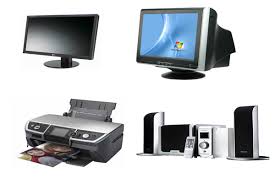
Output Unit- processed data in converted into human readable form.
Output device- present processed information available
Examples: printer, platter, monitor/screen, speakers, modem
Computer Generated Output
1. Text Output- simply alphanumeric characters
2. Graphic Output- drawings cad
3. Sound Output- message beeps produced by the computer system to the human voice to music
4. Video Output- moving images
Types of Output Devices
1.Hard Copy- an output which you can hold in your hand. Changes can be made through reprinting.
2.Soft Copy- easily modified y the computer. The output can be seen on the screen.
SOFTWARE- non- physical element of the computer system. A generated name given to all programs necessary to make the computer usable. Instruct computer how to receive process/manipulate, store and output necessary data.
TYPES OF COMPUTER SYSTEM
1.System Software
2.Application Software
SYSTEM SOFTWARE- refers to all programs that direct the internal operation of computer. It supplied by the hardware vendor when the unit is sold. It assists computer operations.
Classification of Computer Operations
1.Operating System(OS)
2.Language Translator
3.Utility or Service Program
Operating System- the most important type of computer system. It tells the CPU what to do. It is a group of related programs that supervises and monitors the execution of other program. It coordinates internal activities of the computer.
Examples: DOS, UNIX, Windows 97
Function of an OS
1.Scheduled jobs waiting to be processed. Keeps tracks of status of jobs makes sure that these are initiated and processed according to users priority.
2.Load programs to specific location in the computer memory and to unload these programs once the job is completed
3. direct and control he operations of I/O unit handle errors during I/O operations and move data between primary and secondary memory.
4. Schedules and controls the simultaneous execution of several programs (multiprogramming)
Language Translators- program which converts human readable program into machine readable form. The computer reads in string of zero’s and one’s.
1.Machine Language- written in 0’s & 1’s and easily understood by the computer
2.Low-level Language - used mnemonics or symbols on operational codes.
3.High-level Language - readable by human and resembles English language.
4.Very high-level Language- these are object oriented language.
Features of programming Language
1.BASIC (Beginner’s All-Purpose Symbolic Instruction Code) it is design for beginners with no experience in programming. Programs are modified as they are inputted. It a develop in 1960 by John Kemeny and Thomas Kurts.
2.COBOL (Common Business Oriented Language)- a business language program developed in 1959.
3.FORTRAN (Formula Translator) a mathematical program developed in 1957 by IBM and considered as the oldest high level programming language.
4. PASCAL- developed by Nicklaus Wirth between 1968-1971, name after Blaise Pascal, it uses structured programming techniques.
5.PL/I(Programming Language I) a general purpose of language and compatible only with IBM computers, it is the combination of COBOL+FORTRAN.
6.RPG(Report Program Generator) suited for generating printed reports (page notation)used series of description known as specifications.
7.APL (A Program Language) used to solve word problem and developed by Kenneth Iverson in 1970 at Harvard University.
Kinds of Language Translator
1.Compiler- converts/translates high level language into machine language then generate an object program from the source program statement.
2.Assembler- converts/translates assembly language into machine code.
3.Interpreter- reads and interprets source program one statement at a time and then generate machine language code from that source statement.
Source Program- coded program that is fed into translator
Object Program- the output program of the translator
Utility or Service Program- serves specialized data processing problems
1.Text Editor- designed to generate or edit a source program
2.Librarian- used to control, catalog and maintain a list of various program used by the computer system
3.Utilities- program for sorting ,merging, copying or dumping files.
4.Subroutines- set of instruction to perform specific task such as mathematical computations
5.System Aids- used to evaluate the performance o computer system, it includes the debugging tools, diagnostic programs and emulators.
APPLICATION SOFTWARE- refers to the user programs written to solve specific problem such as those in business and engineering. it makes the computer do what you want it to do. These ae set of instructions which provide a solution business, scientific, engineering or research problem. It perform operations or application.
Examples- payroll, inventory, account recievables, general ledger includes the general journals, trials balances, income statement and balance sheet.
Types of Application Programs
- Costumized- a program developed to solve a specific problem peculiar to particular company or user. It is used foe specific application.
2. Packaged- pre-written programs for common applications that can be a number of users with little no changes at all.
